PASTA Lens
25. 11. 12. PM 2:36
Hello, this is the PASTA team!
When it comes to managing your health with PASTA, the most important step is keeping your life log data up to date. Just like you can easily record your meals with FoodShot, we’ve now added a brand-new feature — PASTA Lens — that lets you record your glucose, body composition, and meal data with just simply taking a photo!
With PASTA Lens, you can quickly and easily log:
-
Your glucose readings from a self-monitoring blood glucose meter (BGM),
-
Body composition data from devices like smart scales or InBody analyzers,
-
Results from printed body composition reports.
Check out the guide below to learn how to use PASTA Lens and make sure you never miss a chance to record your valuable health data!
What is PASTA Lens?
When you take or upload a photo, PASTA AI automatically analyzes the image and logs it in the right category:
-
A meal photo → logged as a Meal Log
-
A blood glucose meter (BGM) reading → logged as a Glucose Log
-
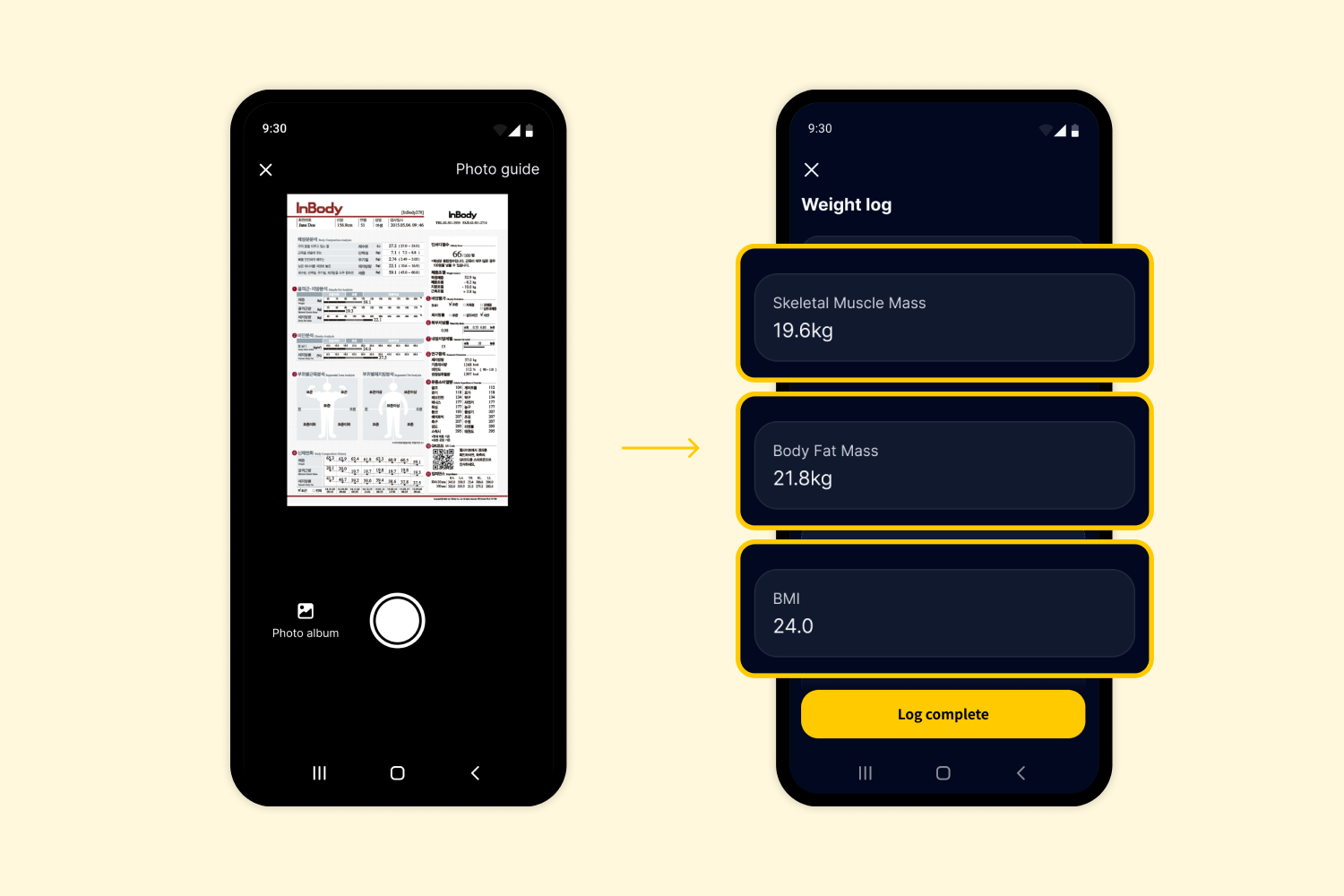
A scale, smart scale, body composition analyzer, InBody device, or body composition report → logged as a Weight Log
-
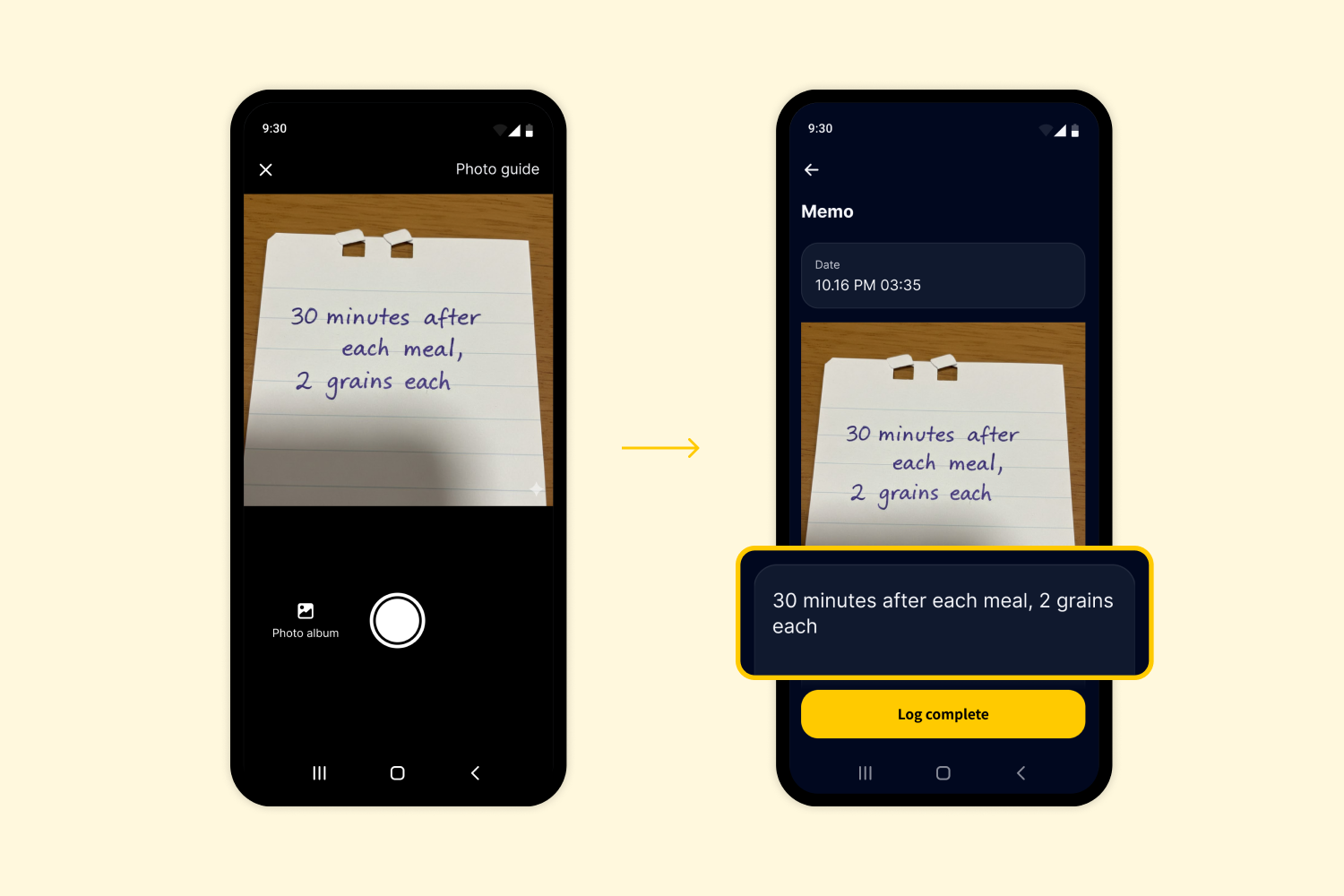
Any other photo which doesn’t match a meal, glucose, or weight record → saved as a Memo
※ If you want to log your meal directly, you can still use the FoodShot feature as usual.
How to Use PASTA Lens
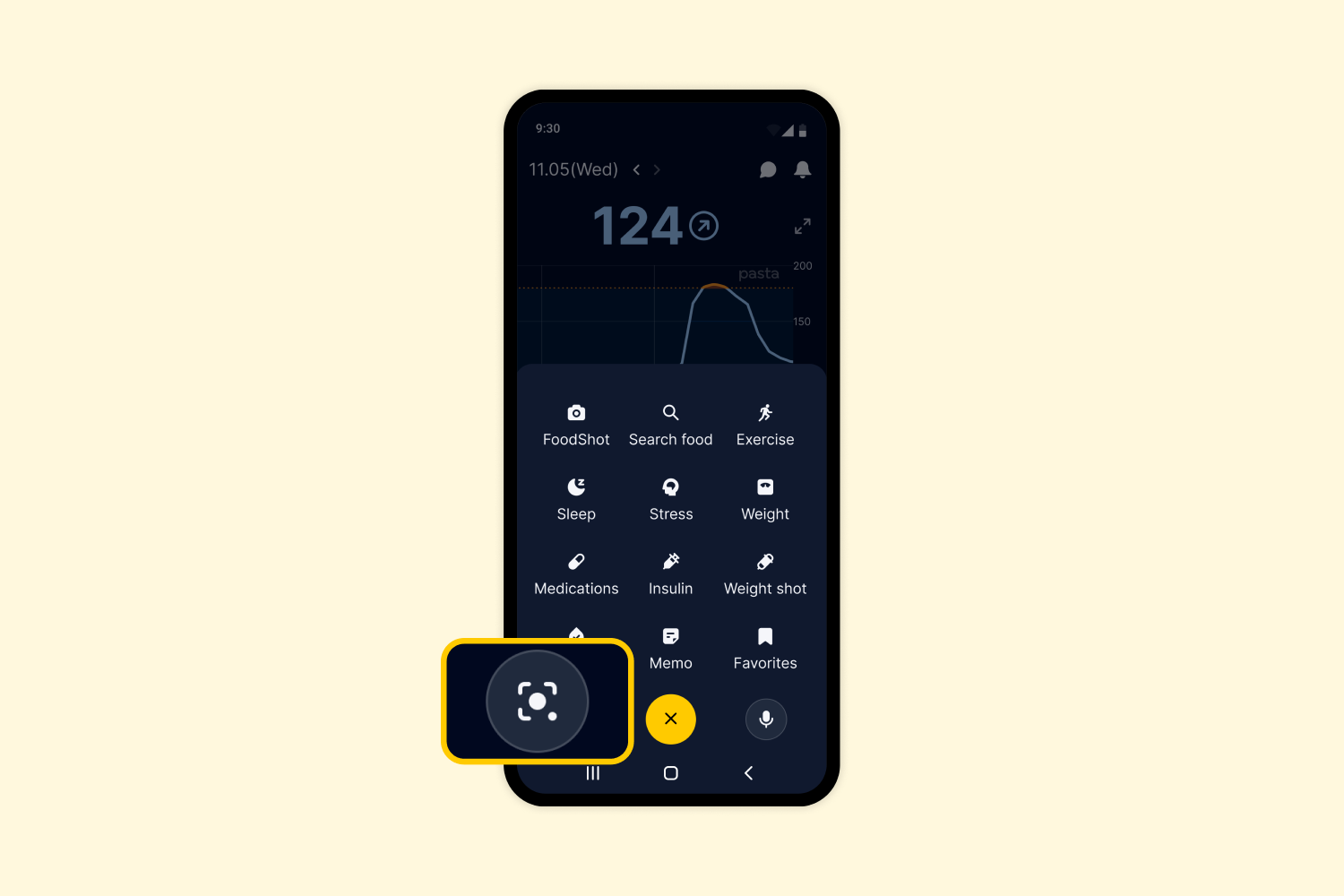
1. Open PASTA Lens
Tap the [+] button and select the PASTA Lens icon in the lower left corner.
2. Take or Upload a Photo
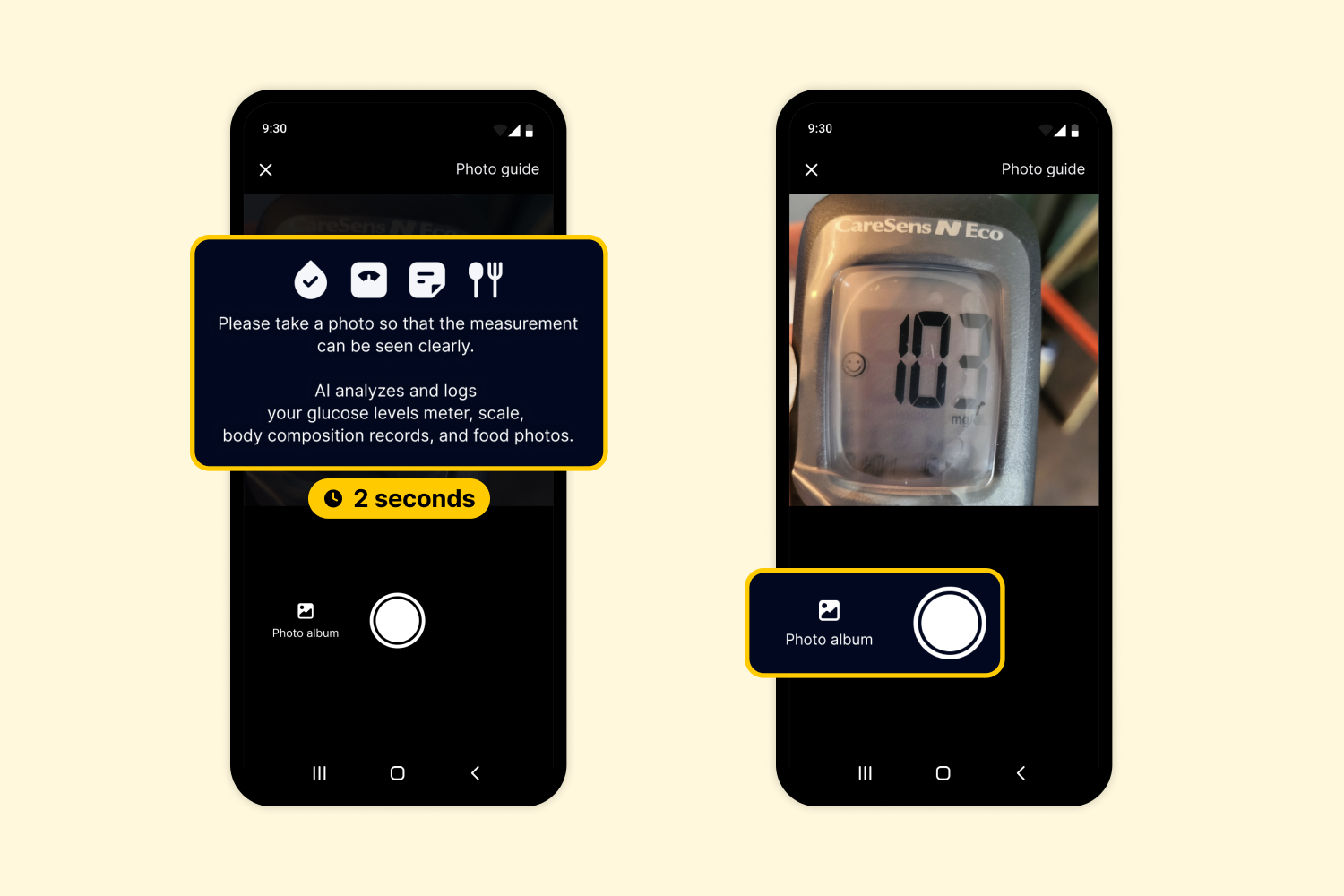
When PASTA Lens starts, a short 2-second guide will appear. Tap the camera button to take a photo, or select an image from your photo album.
Please take a photo so that the measurement can be seen clearly. AI analyzes and logs your glucose levels meter, scale, body composition records, and food photos.)
3. Review and Log
Once the image is analyzed, you’ll be taken to the appropriate log screen — Meal log, Glucose log, Weight log, or Memo.
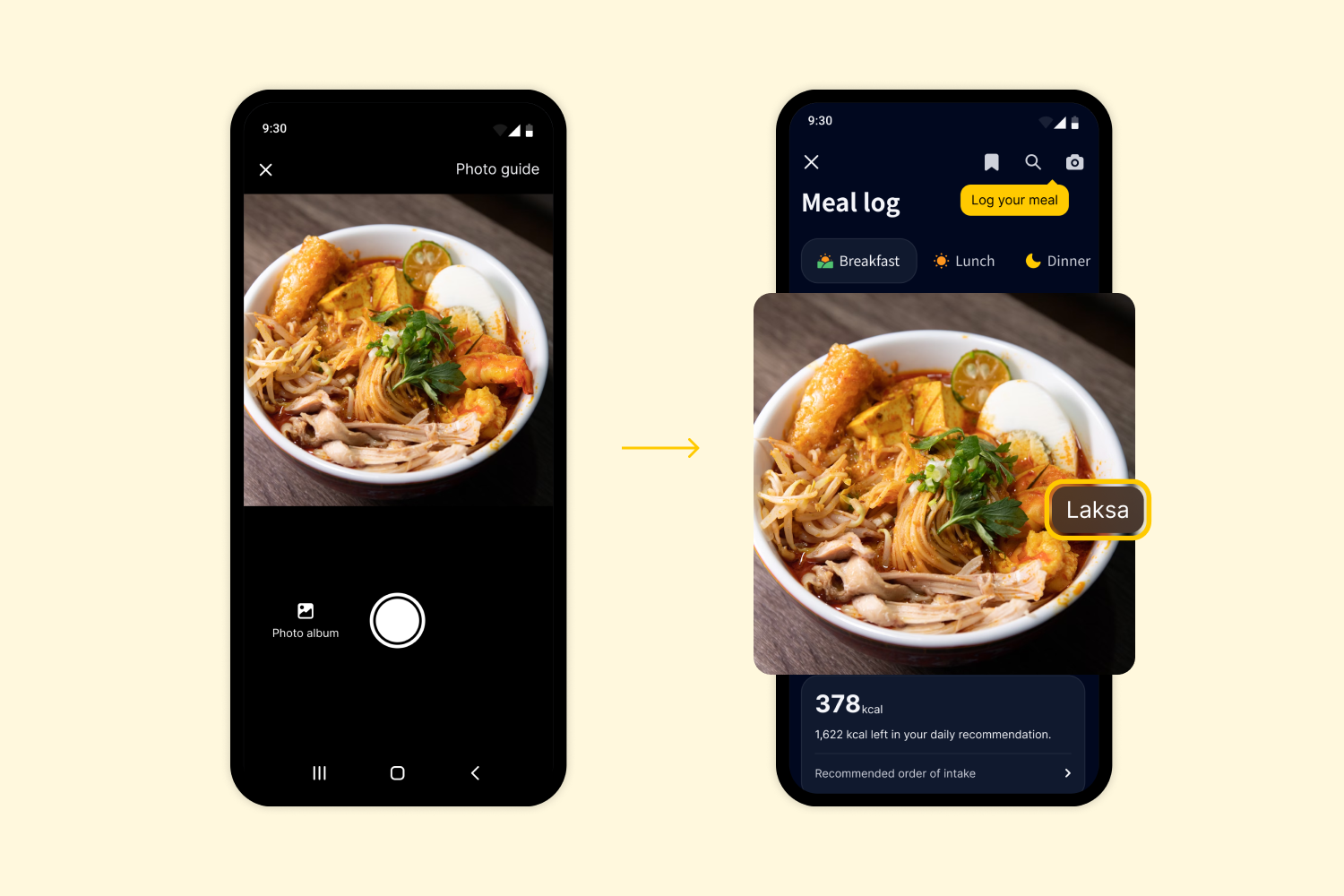
1) Meal Logs
If it’s a photo of your meal, FoodShot AI automatically recognizes and labels menu items. Check the detected items, make edits if needed, and complete your meal log.
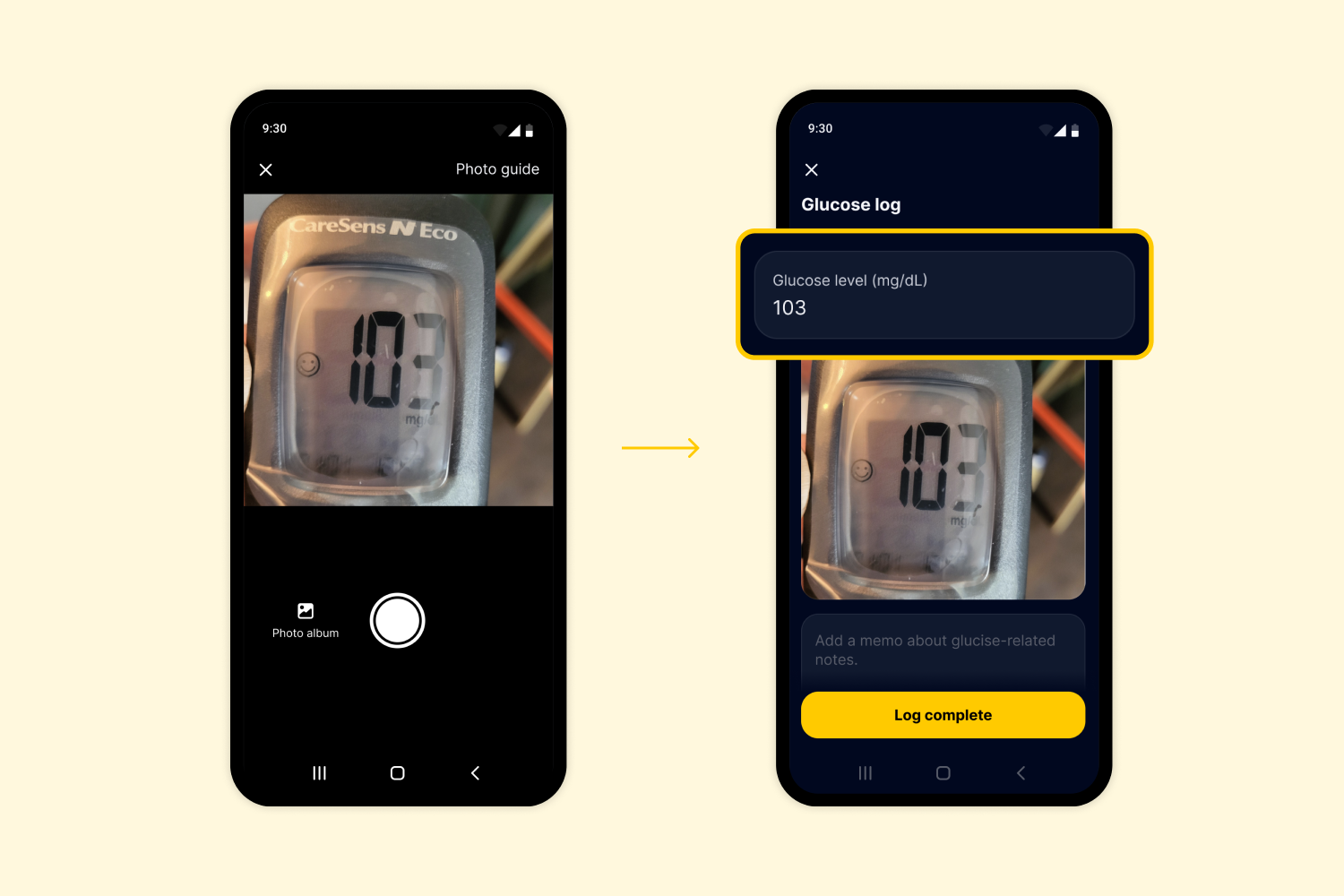
2) Glucose Logs
If it’s a photo of your BGM reading, the app automatically extracts your glucose level and logs it. If you’re wearing a CGM sensor, the value can also be used to calibrate your glucose level.
3) Weight Logs
If it’s a photo of a smart scale display or body composition report, PASTA Lens can extract up to 11 body composition metrics, including: Weight (kg), BMI (kg/m²), Skeletal Muscle Mass (kg), Body Fat Mass (kg), Body Fat Percentage (%), Abdominal Fat Ratio, Visceral Fat Level (Lv), Total Body Water (L), Protein (kg), Minerals (kg), and Basal Metabolic Rate (kcal).
If the photo is blurry, has strong light reflections, or is taken at an extreme angle, the value may not be extracted correctly - but don’t worry, you can easily edit it before saving your log.
4) Memos
If the image doesn’t match a meal, glucose, or weight log, it will be saved as a memo with the photo attached.
Tips for Getting the Most Out of PASTA Lens
-
Just start PASTA Lens and snap a photo! The AI will automatically sort it into meals, glucose, weight, or memos.
-
Even if you’re busy, take photos of your meals or weight readings first and upload them through PASTA Lens later — the AI will automatically log them for you.
-
Uploading the image of body composition reports helps you track not just your weight, but other key health metrics over time.
-
Found something health-related in your daily life that you want to remember? Snap it with PASTA Lens and save it as a memo!
We hope PASTA Lens helps you log your health data more easily and consistently — so you never miss a beat in managing your health and well-being. PASTA is here to support your healthy journey every day - simple, smart, and efficient.